If you've read your first fitness program, this is the same story told in food. Your coach's method becomes daily targets and a meal timeline; you log what you actually ate; the coach reads it and adjusts. Here's the whole thing, screen by screen.
The short version
The parts that are identical
Nutrition and training share the same front door, so the first half of this is short.
- You need a coach's link. Agora Fitness isn't a marketplace — without a coach attached there's nothing to plan against, and the app tells you so rather than dropping you into an empty home screen.
- Sign in with a code, not a password. Email, eight digits, done.
- The same two profile screens. Goal, experience, gender, date of birth, height and weight — then training days, styles, and this time the one that matters most for food: dietary preferences.
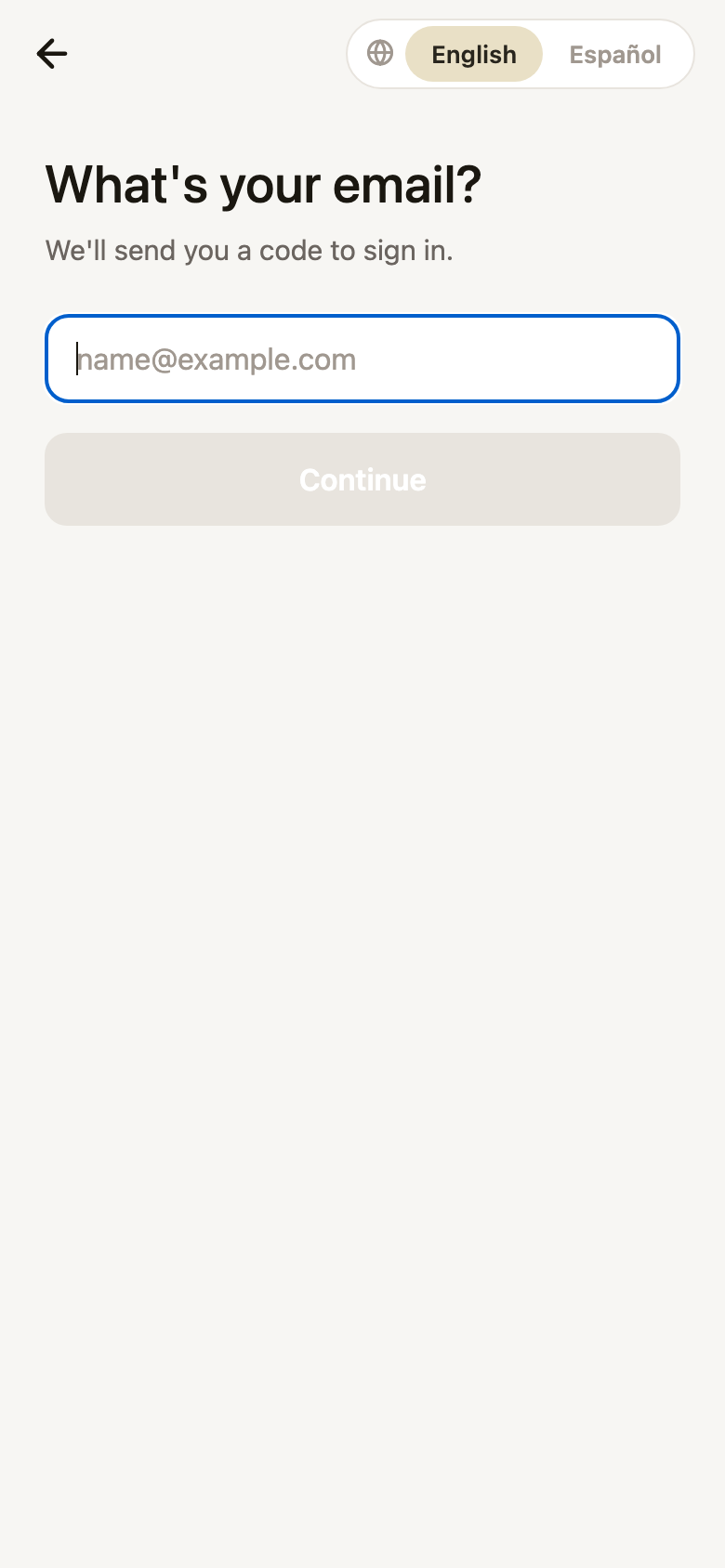
Sign in
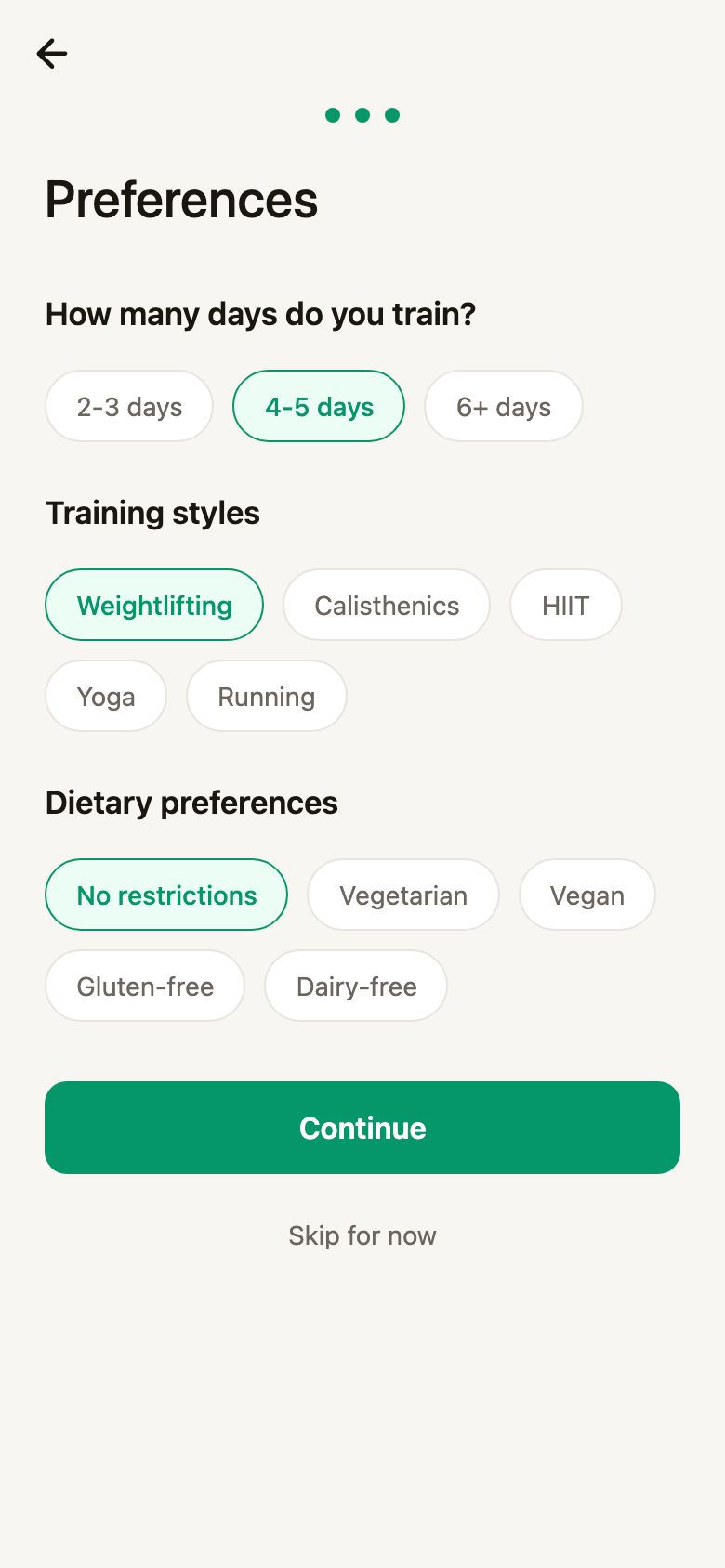
Preferences
Coach tab.Asking for the plan
Same as training: you ask. The difference is what's worth telling it up front, because a nutrition plan lives or dies on the practical details.
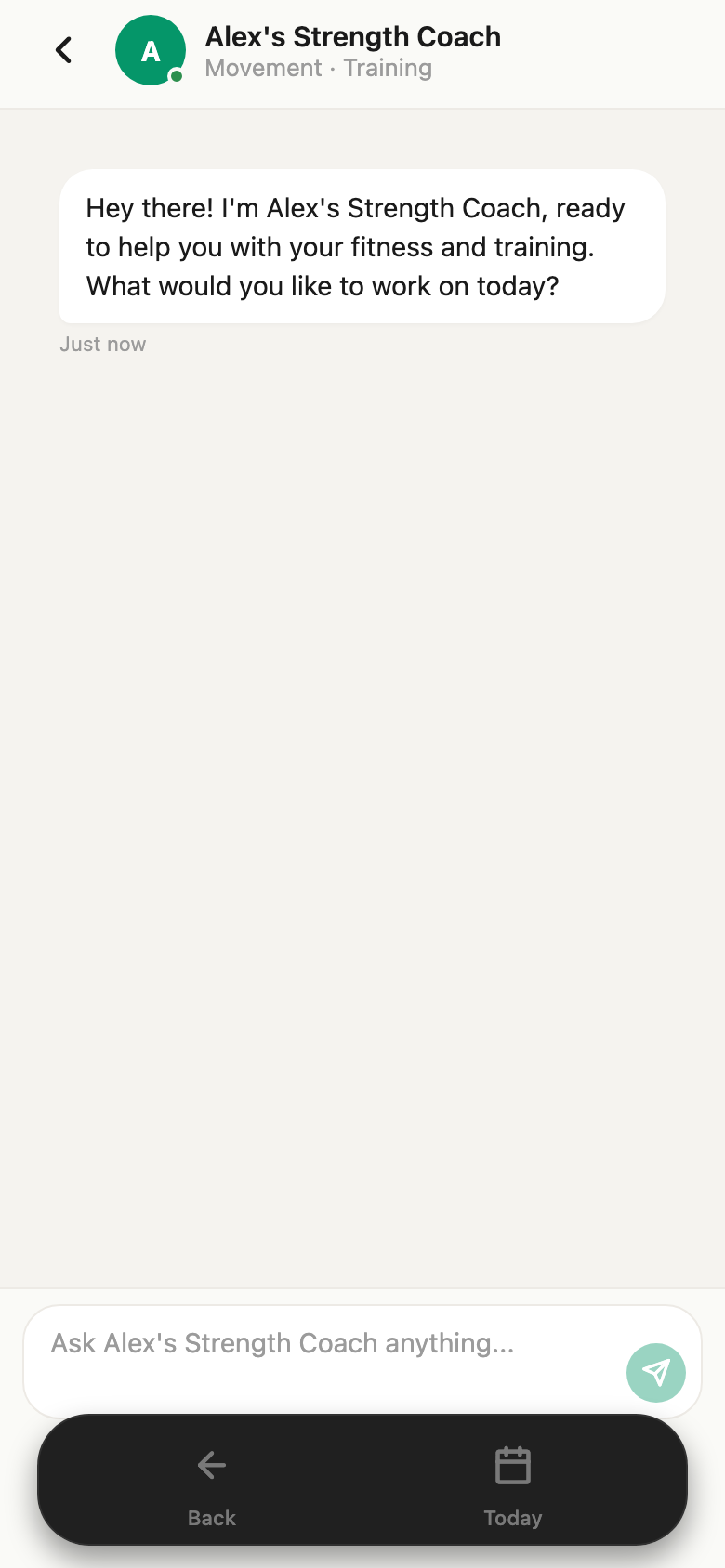
Ask your coach
Things worth saying first
The plan that comes back isn't a list of meals you're expected to cook forever. It's a framework: how much protein per pound of bodyweight, what share of calories comes from fat, whether carbs are steady or cycled around training, and how many meals a day it assumes. From that framework the coach builds day templates — typically a training day and a rest day, each with its own macro targets — and a week schedule that says which template lands on which day.
- Targets — calories, protein, fat and carbs for the day.
- A timeline — meals, training, supplements and check-ins at times that fit your day.
- Food restrictions — what's approved, what to avoid, allergies, dietary labels.
- Supplements — name, dose, frequency and timing, if your coach uses them.
- Check-in rules — how often you weigh in or measure, and what gets recorded.
The plan, from the inside
Your plans live under the Plan tab. A nutrition plan shows up as its own card — labelled NUTRITION, with its name and the date your coach generated it. If you also have a training program, both sit here side by side.
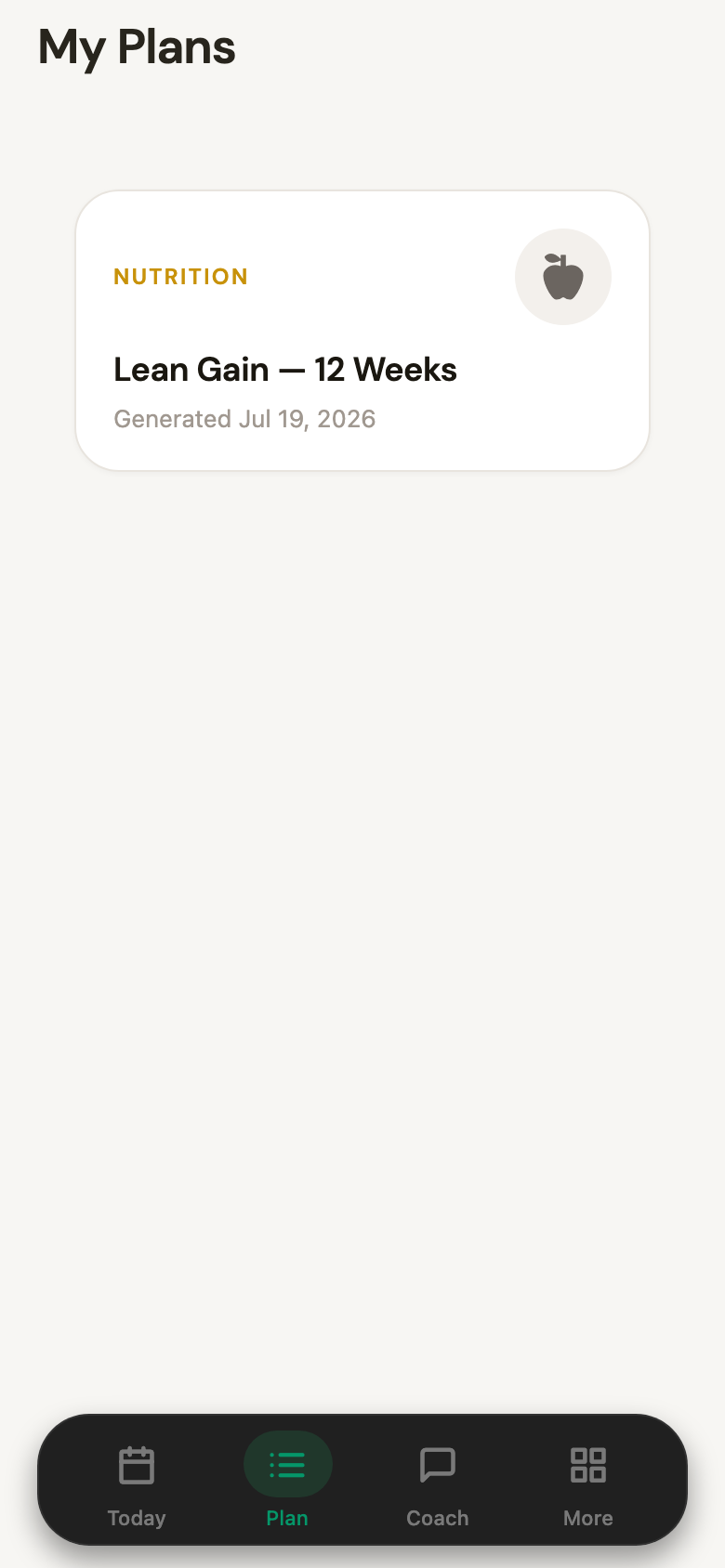
Your plans
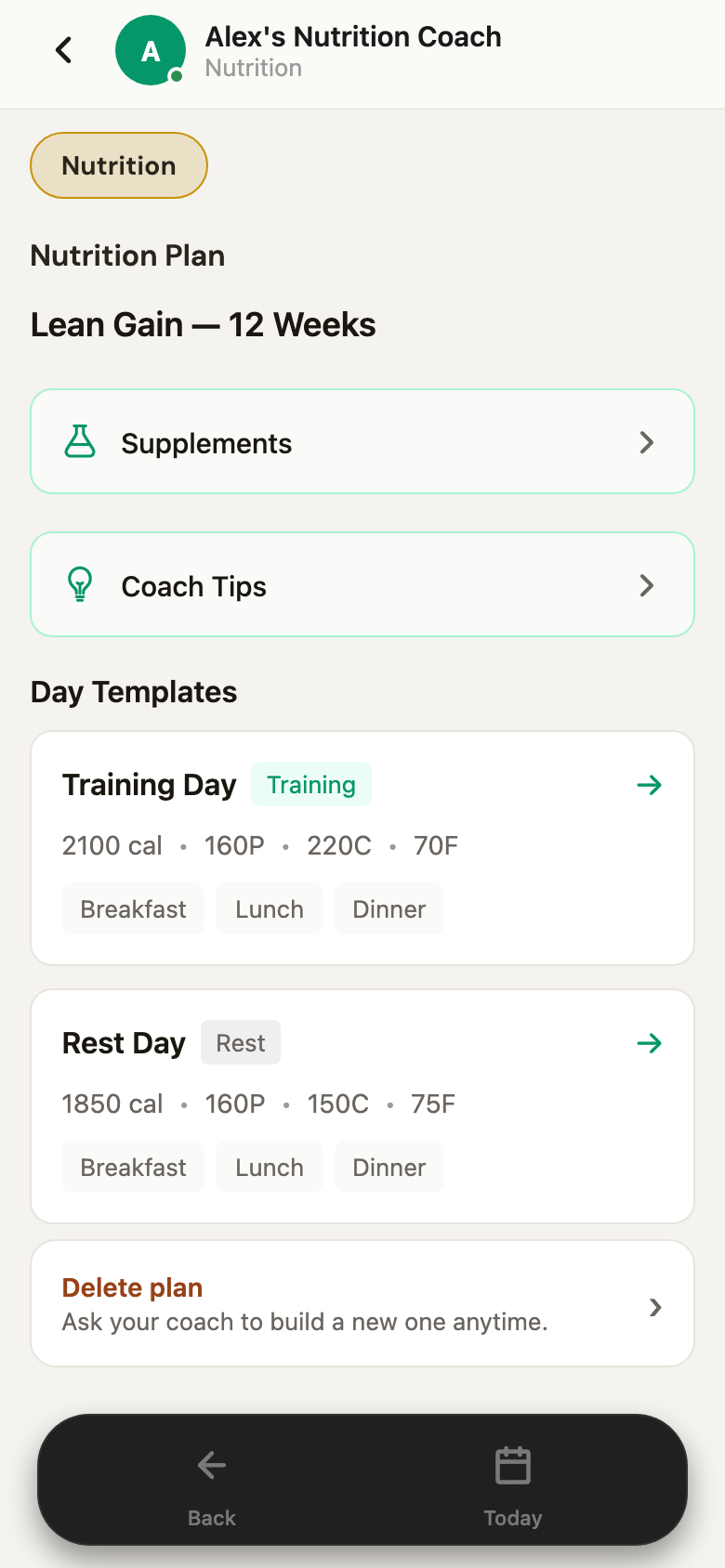
Inside the plan
Open it and you get the structure your coach actually built, rather than a wall of recipes:
- Day templates are the heart of it. Each one shows its daily total and macro split at a glance —
2100 cal · 160P · 220C · 70Ffor a training day,1850 cal · 160P · 150C · 75Ffor a rest day — with the meals it's built from listed underneath. Tap through for the full breakdown of any one of them. - Training days and rest days differ on purpose. Same protein, fewer carbs on the days you're not training. That's the plan's logic made visible, not a setting you have to manage.
- Supplements and Coach tips get their own sections — doses and timings in one, and the handful of principles your coach wants you to remember in the other.
- Delete plan is there too, with the honest framing the app uses: ask your coach to build a new one anytime.
A day on the plan
This is where nutrition differs most from training. A training program is something you open a few times a week. A nutrition plan is the shape of every day — so it lives on the Today tab rather than behind a menu.
The top of the day is your macro progress: protein, fat, carbs and calories, each as eaten-against-target. Underneath is the timeline for today's template — in this case a training day.
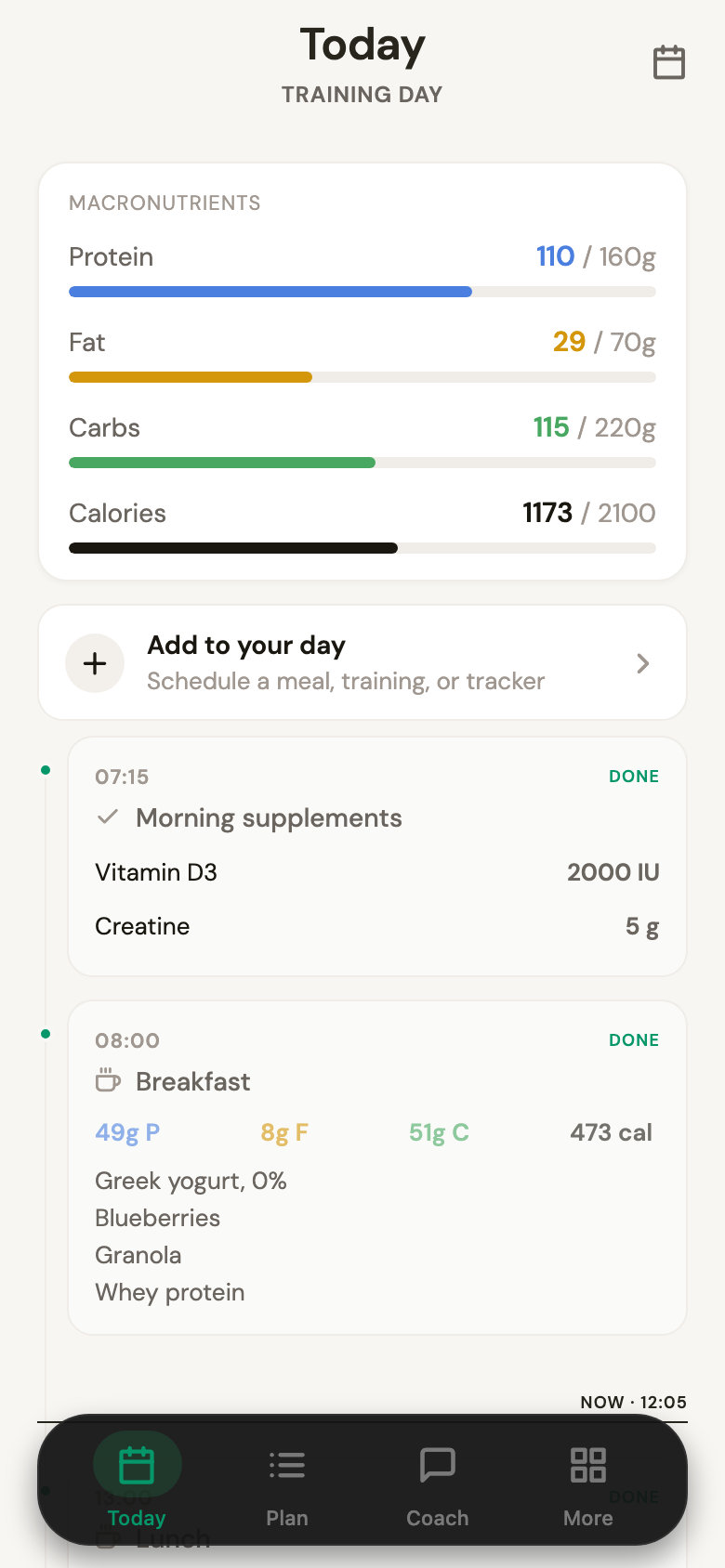
Your targets
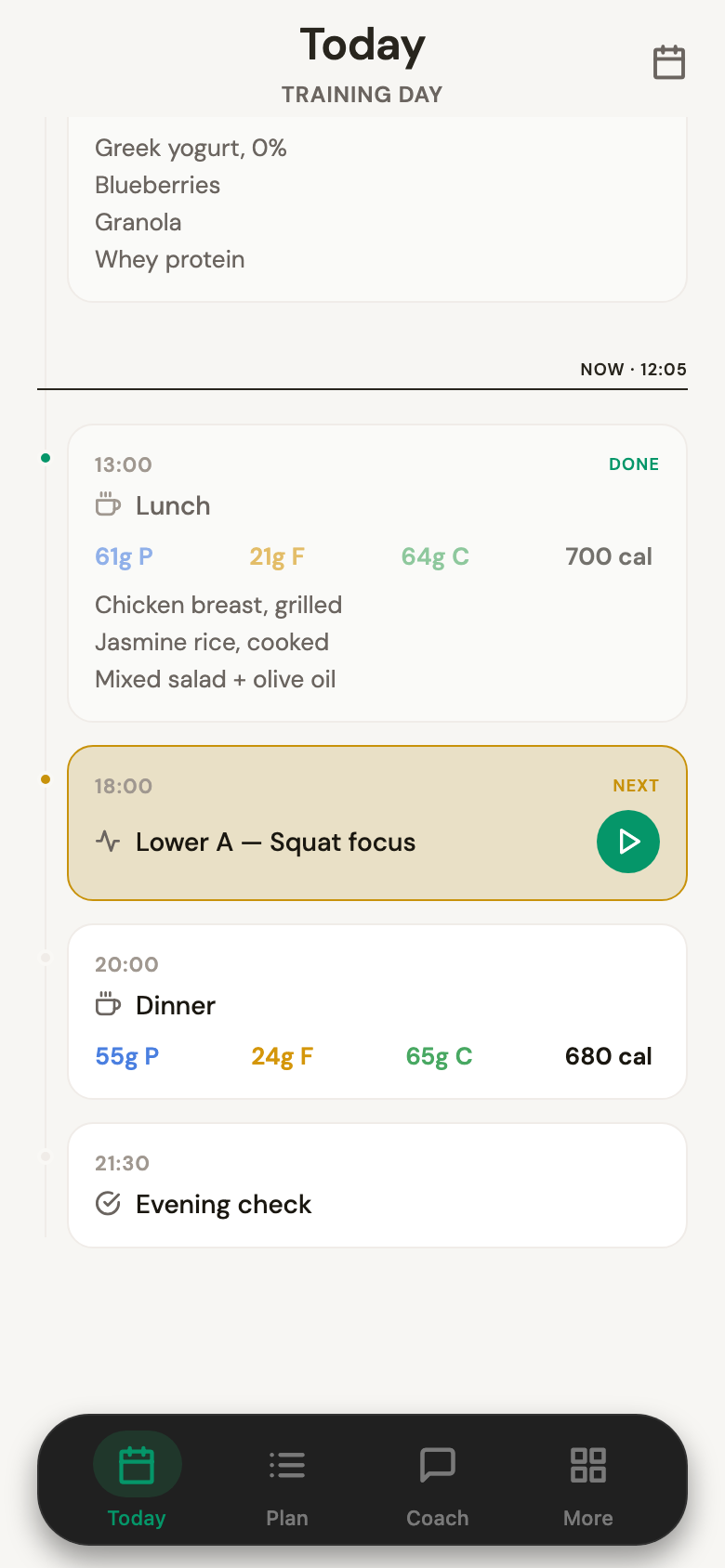
The rest of the day
Reading that timeline:
- Every block has a time and a state.
DONEfor what you've logged,NEXTfor what's coming, and a now line that moves through the day. - Logged meals show what you actually ate and what it came to — 61g protein, 21g fat, 64g carbs, 700 cal — not just a tick.
- Upcoming meals show their target, so you know what dinner is supposed to do before you cook it.
- Training sits in the same timeline — with a play button that takes you straight into the session, because when you train changes how the day's food is arranged.
- Supplements and check-ins are blocks too, each tickable, so the whole day is one list rather than four apps.
Add to your day at the top handles real life: a meal that wasn't planned, an unplanned session, a tracker you want to add. And the morning check-in is what tells the app which template today should be — if a training day becomes a rest day, the targets move with it.
Five ways to log a meal
This is the part that decides whether anyone actually sticks with food tracking. Weighing and searching every item is why most people quit by week two, so the app gives you five ways in and lets you pick the one that matches the moment.
A photo
Point the camera at the plate, or pick a shot from your library. The coach reads the photo and comes back with what it found — "We found 4 items in your photo" — each with its own portion estimate and macros. You adjust anything that's off and save. Best for a plate you didn't cook and couldn't itemise if you tried.
Your voice
Hold the record button and say what you ate. The app transcribes it, shows you what it heard under WE HEARD, and turns it into food items with macros. There's a re-record if it misheard you. Best for hands-busy moments — walking out of a café, or mid-cook.
A sentence
Type it the way you'd say it to a person: "Two scrambled eggs with avocado toast and black coffee." The app's own hint says it well — portions, ingredients and prep method help nail the estimate. The more detail, the closer the numbers.
Nothing is saved behind your back.
Search
The classic route, still there when you want it: search the food database, pick the item, set the portion. Portion detail goes beyond the four macros — fibre, sugars and the rest are there when you care about them.
A barcode
Scan the packet. Fastest and most accurate path for anything that came in a wrapper.
And your coach is reading it
Logging that goes nowhere is a chore. The point of putting it in the app is that the coach who wrote the plan can see it.
- Ask how you're doing and you get an answer against what you logged, not a guess — this week's protein average, whether the weekend is undoing the week, which meal keeps getting skipped.
- Ask for changes in plain language. "Dinner is too big, I'm not hungry at 8pm." "Can we move carbs earlier on training days?" "I'm travelling next week — what do I do?"
- The check-ins feed it too. Weight and whatever else your plan tracks go in on the cadence your coach set, and the targets follow the trend rather than a number you picked in week one.
And when a plan has run its course, ask for a new one. Same conversation, same coach, same method — a fresh block built on what the last twelve weeks actually showed.
Common questions
Do I have to log every meal? No, and most people don't forever. Logging is how the coach learns what you actually eat — a few honest weeks teaches it more than months of perfect-looking gaps.
What if I eat something not on the plan? Log it. That's the point. The plan is a target, not a rule, and your coach would rather see the real number.
Are the photo and voice estimates accurate? They're estimates, and the app is honest about that — you review every item before it saves. For anything packaged, the barcode is exact.
Can I have a nutrition plan without a training program? Yes. A coach can offer either or both, and the day timeline simply won't have training blocks in it.
What happens on a rest day? Your plan has a template for it — usually fewer carbs, protein held steady. The morning check-in decides which template today gets.
Your coach set the targets.
The day just has to be easy to log.