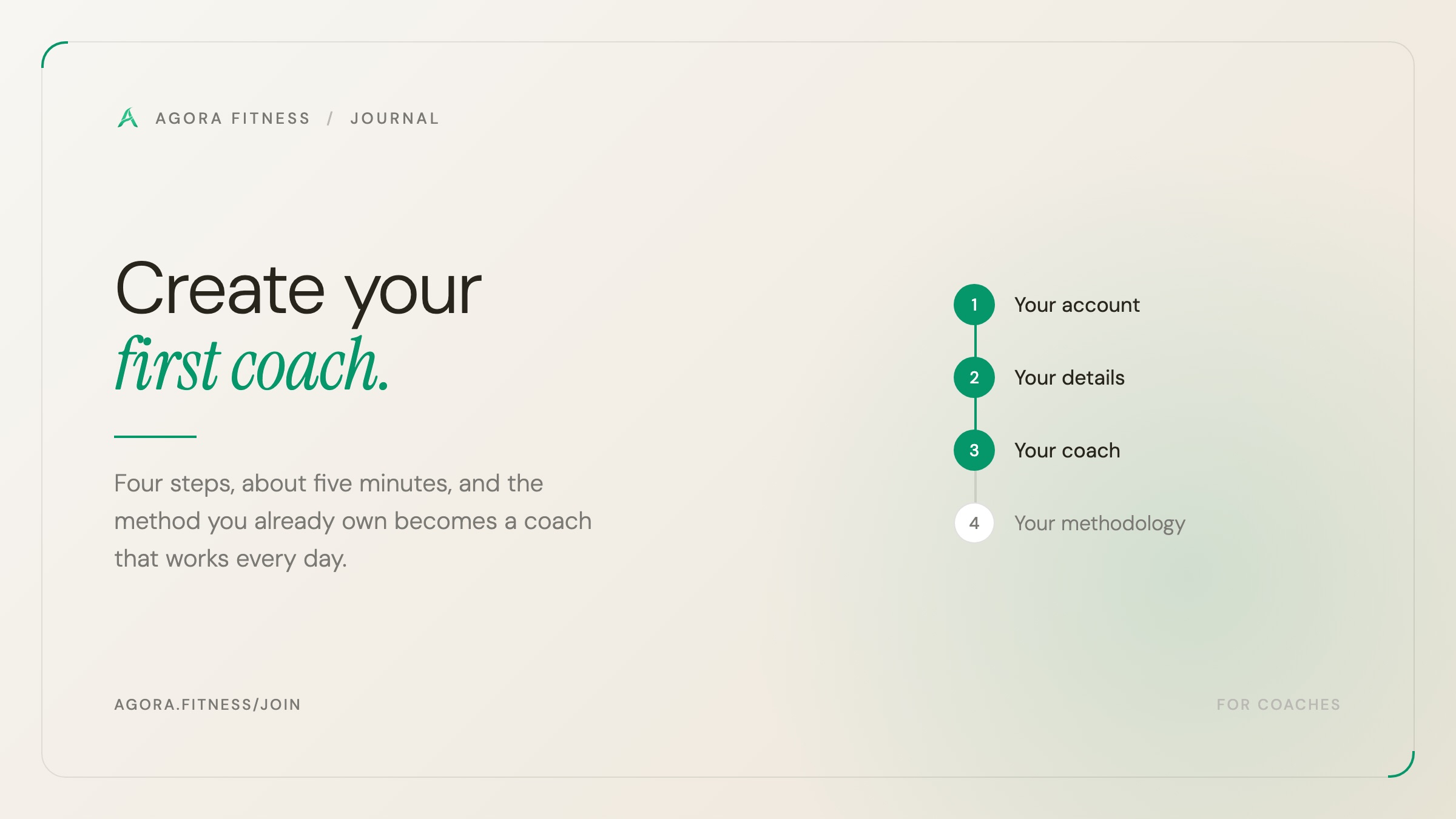
You bring the methodology. We turn it into a coach that remembers your clients, builds real programs they can follow, and keeps working while you're on the gym floor with someone else. Here is exactly how to set one up, screen by screen.
The whole thing takes about five minutes, and the only part worth preparing in advance is your methodology — the documents your coach learns from. Everything else is a few fields.
The short version
agora.fitness/join, sign in with your email, tell us who you are, describe the coach you want, and upload your training documents. We'll email you when your coach is trained and ready to test.Before you start: gather your methodology
This is the one thing that makes your coach yours instead of a generic fitness chatbot, so it's worth five minutes of digging through your drive first.
Anything that shows how you actually coach will help. It does not need to be tidy, and it definitely does not need to be written for a computer:
- Programs you've written for real clients — beginner, intermediate, fat loss, muscle gain
- Templates or spreadsheets you reuse
- Anything describing your philosophy: how you progress a lift, when you deload, how you train around a cranky shoulder
- Client handouts, onboarding questionnaires, the FAQ you find yourself repeating
How much is enough?
Accepted formats are PDF, Word, plain text and Markdown, up to 100 MB per file and twelve files per coach.
The four steps
Sign in with your email
Go to agora.fitness/join and enter your email address. There's no password to invent or remember — we email you a short code instead.
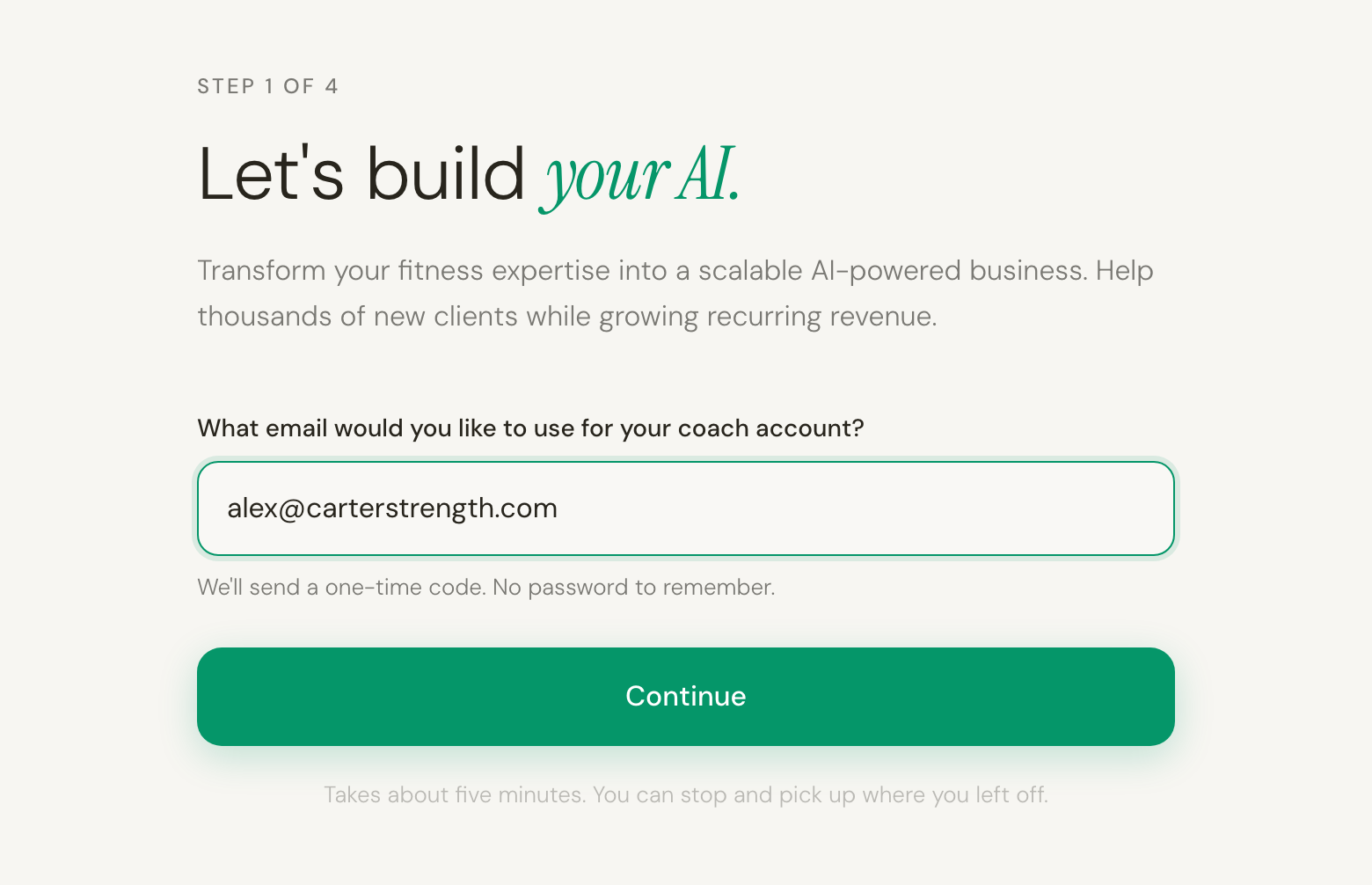
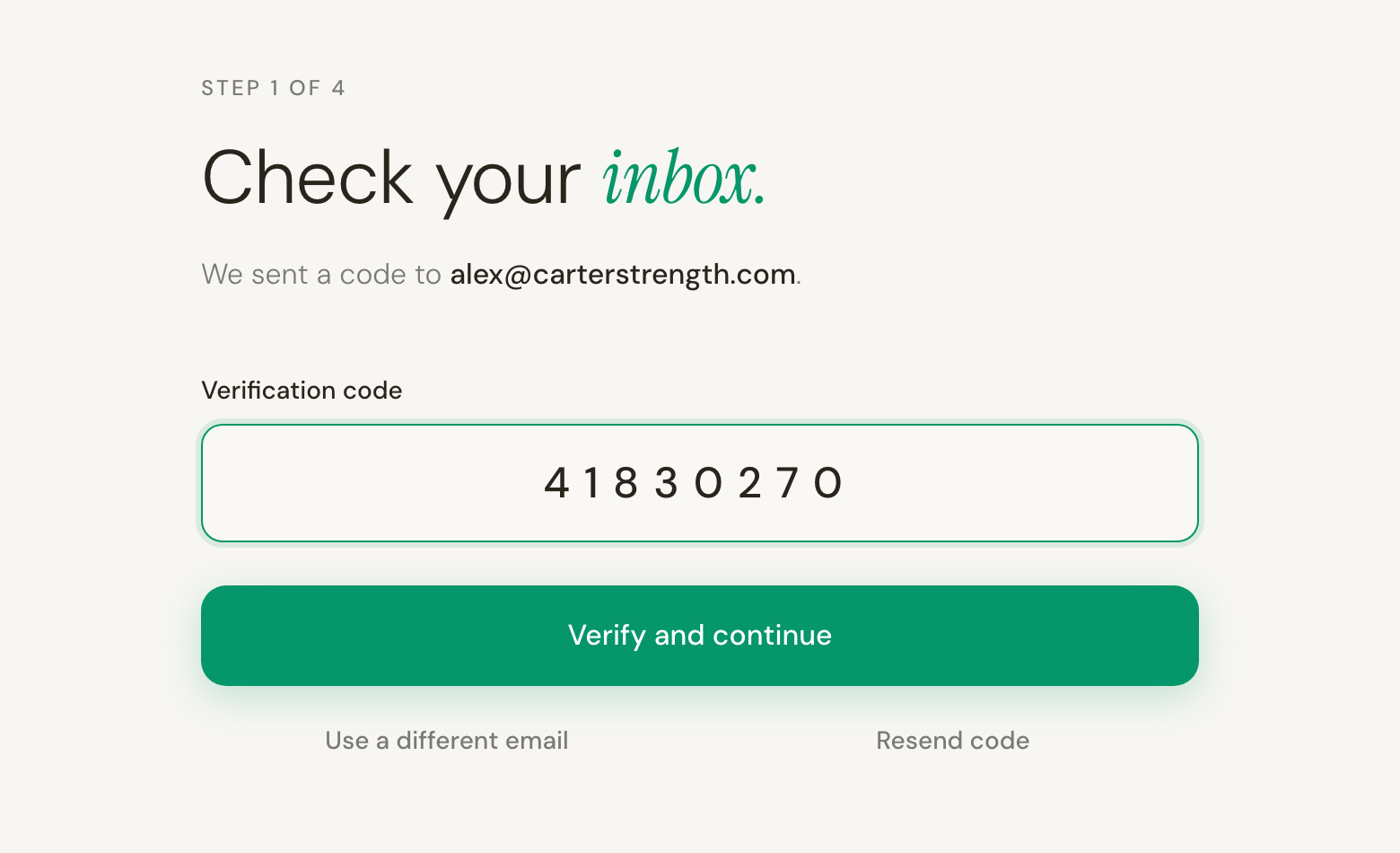
Type that code in on the next screen. Codes expire after a few minutes, so if yours has gone stale, Resend code gets you a fresh one — and Use a different email lets you start over with another address if you mistyped it.
Tell us who you are
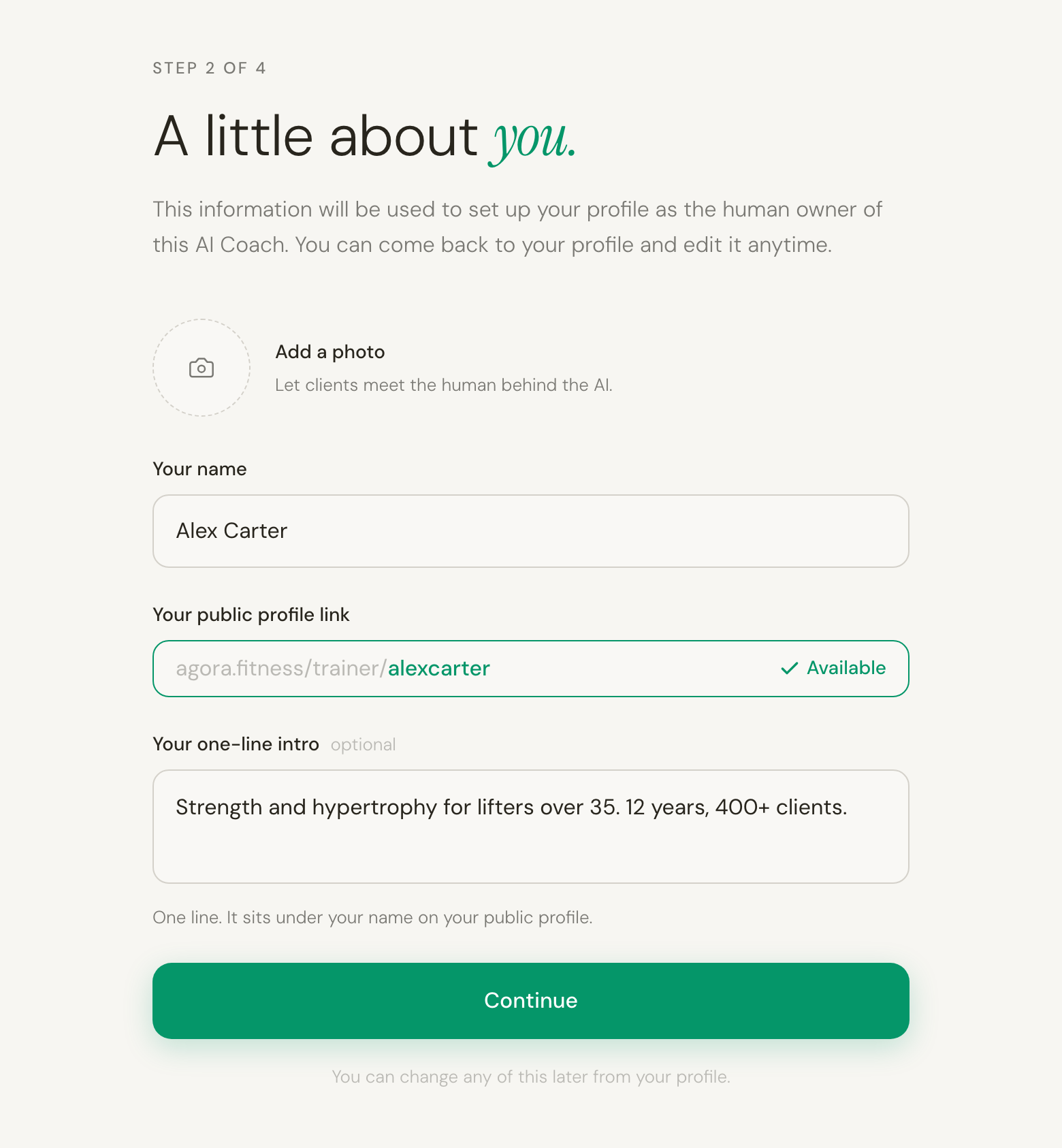
This is what your clients see when they meet your coach, so it's worth a moment's thought — though nothing here is permanent.
This step sets up your profile as the human owner of the AI coach — separate from the coach itself, which you build on the next screen.
- A photo — optional, and framed exactly right by the app: let clients meet the human behind the AI.
- Your name — how you want to be known to clients.
- Your public profile link —
agora.fitness/trainer/yourname. We suggest one from your name; type over it if you'd rather have something else. It checks as you type and shows Available in green before you can continue. - Your one-line intro — optional. It sits under your name on your public profile.
Set up your AI coach
Now the coach itself — four fields, and the first one is more important than it looks.
- Name your AI coach. This isn't just a label: it is the address your coach lives at,
agora.fitness/coach/your-name. Type it and it checks availability live, showing Available or Taken as you go. Share that link and anyone can talk to your AI. - What it focuses on — Training (programs, sessions, progression) or Nutrition (meal plans, macros, daily targets). One focus per coach; if you do both, build one of each.
- Which specialties — tap as many as apply. Training offers strength, hypertrophy, calisthenics, mobility, endurance and weight loss; nutrition offers weight loss, gut health, muscle gain, longevity and sports nutrition. If yours isn't listed, type it into Other… and it becomes a chip of its own.
- A message for your clients — showcased on your coach's page. Write it for the person deciding whether this coach is for them: who it's for, and what it helps them do.
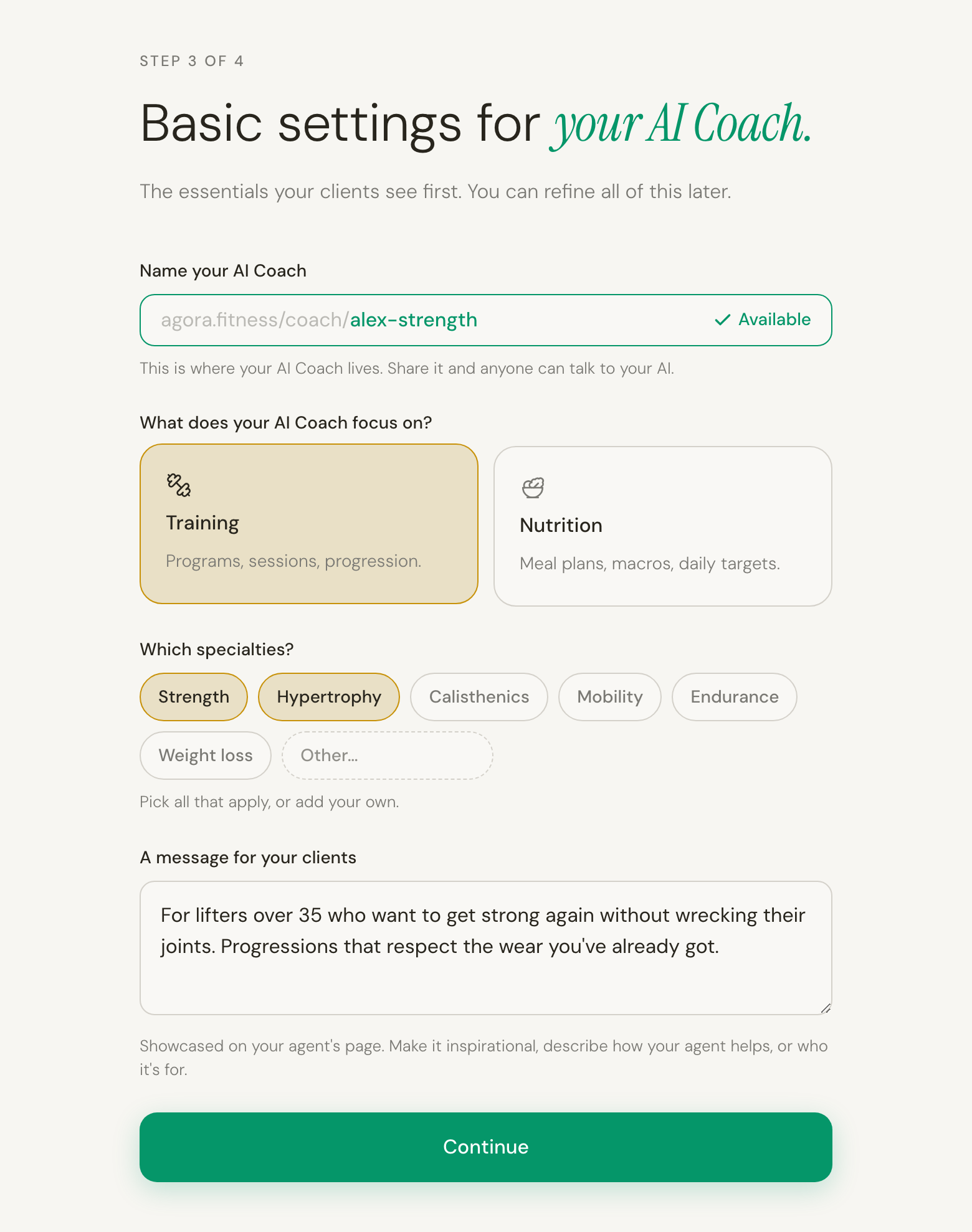
Nothing goes live yet.
Train it on your knowledge
This is the step that matters. Your agent learns from material you already have — past client programs, program templates, coaching notes, client handouts, the guides you send most. Drag them onto the box, or click it to browse. Each file appears in a list underneath, and anything you didn't mean to add comes off with the × beside it.
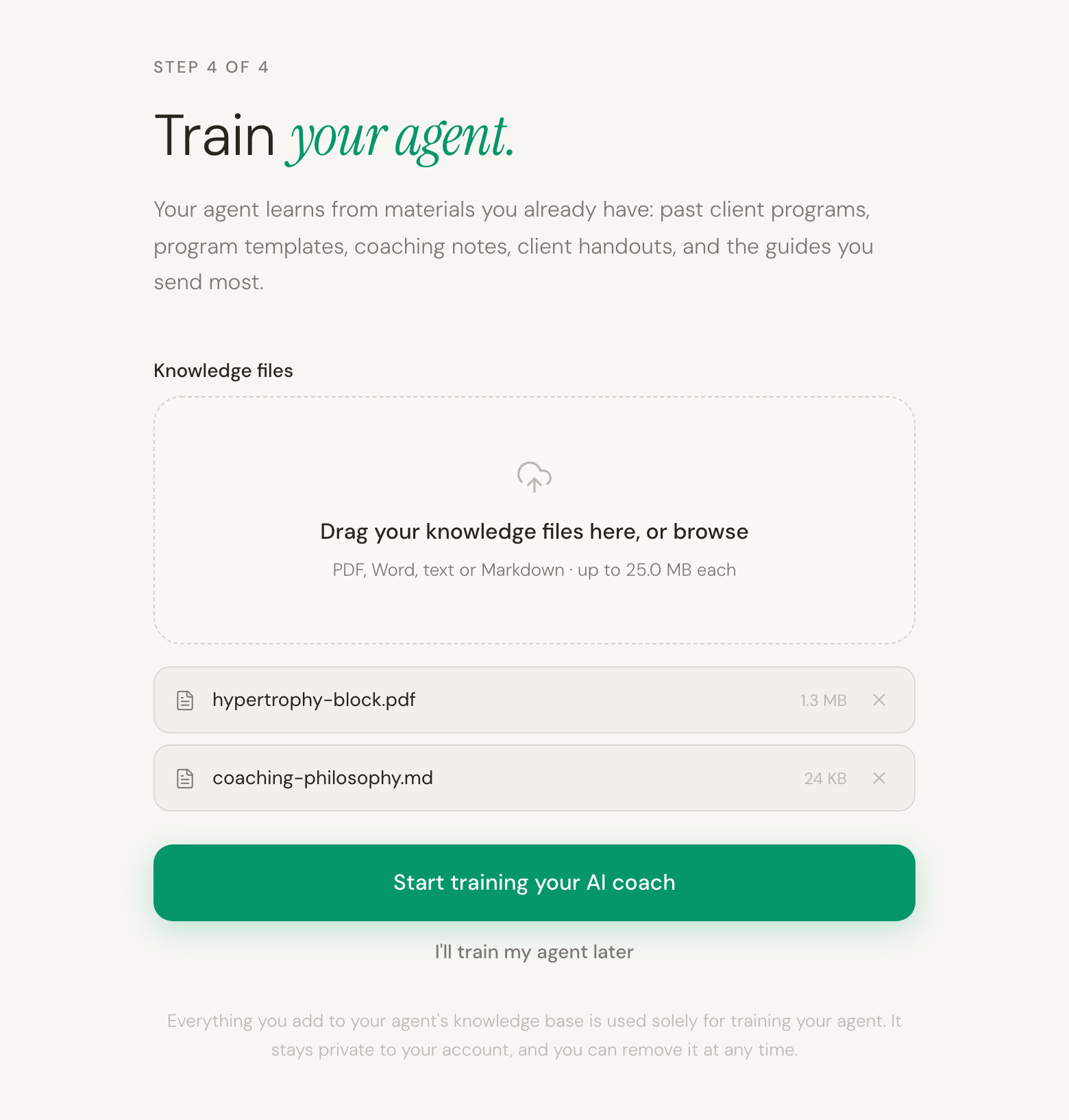
When the list looks right, press Start training your AI coach. Not ready? I'll train my agent later finishes the flow and keeps your coach as a draft — you can add files from your coaches page whenever you've got them together.
Then you're done
You'll see a confirmation that your documents are in — 2 documents uploaded — and a reminder that training takes a while, because we read every document and pull out the rules you coach by. There's nothing to sit and watch. Close the tab and get on with your day.
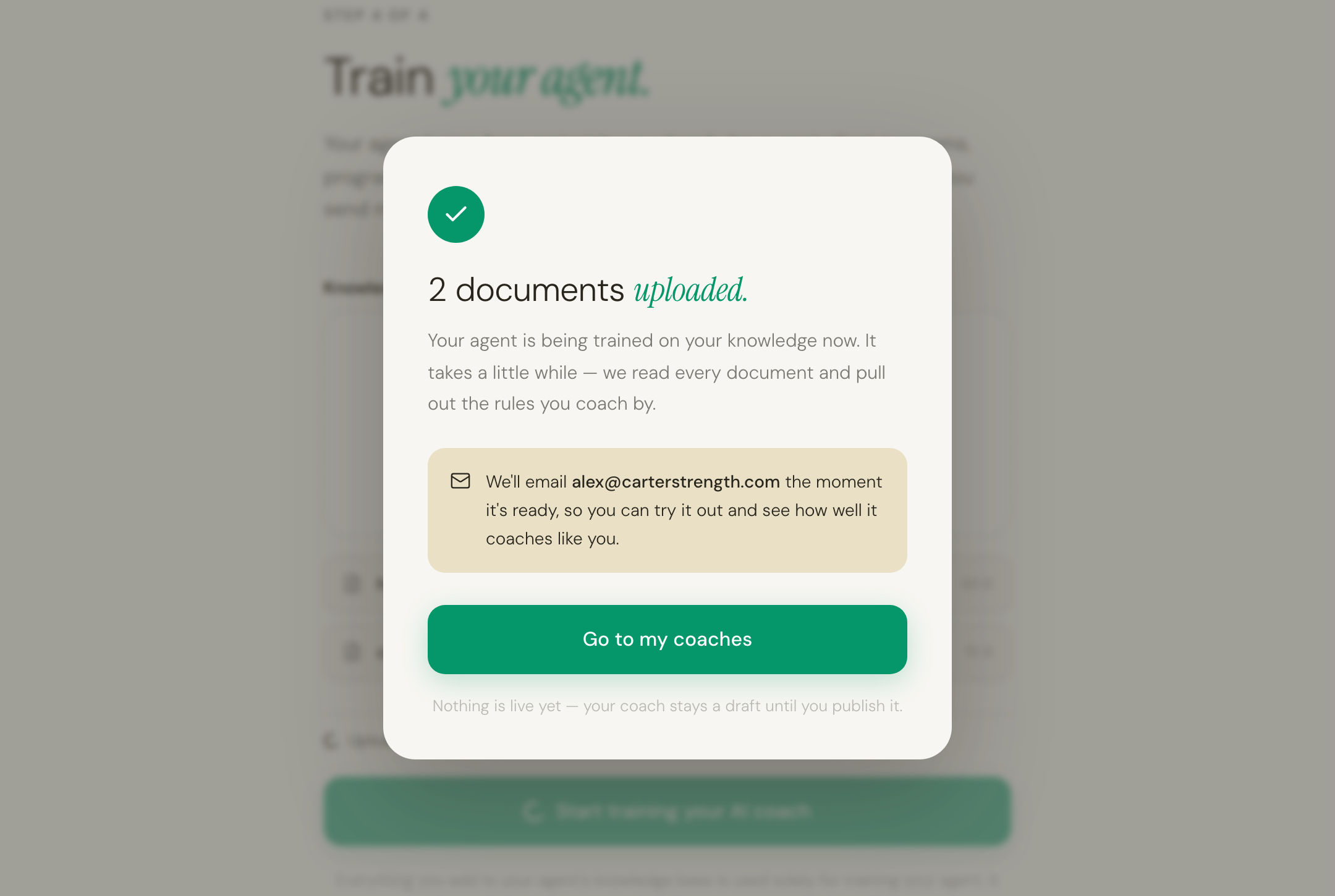
We'll email you when your coach is ready to test. That's the signal to come back, talk to it the way a client would, and see how much it sounds like you.
What to do once it's trained
A coach that nobody has stress-tested isn't ready for clients. Four things, roughly in this order:
- Test it like a client would. Ask it for a program. Come back in a few days and ask a follow-up. Look for the places it sounds like you and the places it doesn't — that's what tells us what to sharpen.
- Add more methodology. If it missed a rule you care about, the fix is usually more material rather than different wording. Upload more any time from your coaches page.
- Set your price. Decide what a subscription costs, and connect Stripe so payouts land in your bank.
- Publish and share. When it sounds right, publish it and share your link with your clients and your audience.
Questions we get asked
Can I stop halfway and come back? Yes. Your progress is saved in your browser as you go, so you can close the tab, go and find your files, and pick up where you left off.
Can I build more than one coach? Yes. Run through the flow again and you'll go straight to the coach step, since we already know who you are. Some trainers keep separate coaches for different audiences.
What if I picked the wrong option? Nothing in the flow is permanent. Your name, your coach's name and description, and what it covers can all be edited afterwards from your coaches page.
Do I need to be technical? No. If you can attach a file to an email, you can do this. There's no prompt to write and nothing to configure — your documents are the input.
What actually happens to my documents? They're read once, to extract the structure of how you coach: your principles, your progressions, the rules you apply in particular situations. That structure is what your coach reasons with. If you want the longer answer on why that's different from pasting your methodology into a chatbot, we wrote about it in "It's just ChatGPT with a prompt, right?"
You did the hard part.
We'll do the rest.